Our Solutions
Explore our complete suite of professional tools designed to grow your business.
Grow Your Business
Power Your Work
- Success Stories
- Support
1 min read
Track Team Performance
Written by Zillow on January 26, 2025
Quickly get a full view of your team’s performance, collectively and by individual, from the team performance page. This is where you’ll get the information you need to manage their lead pipeline, including lead volume by team member, individual answer rates and the status of all leads in the pipeline. You can also see each team member’s experience score to know what kind of feedback their connections are giving.
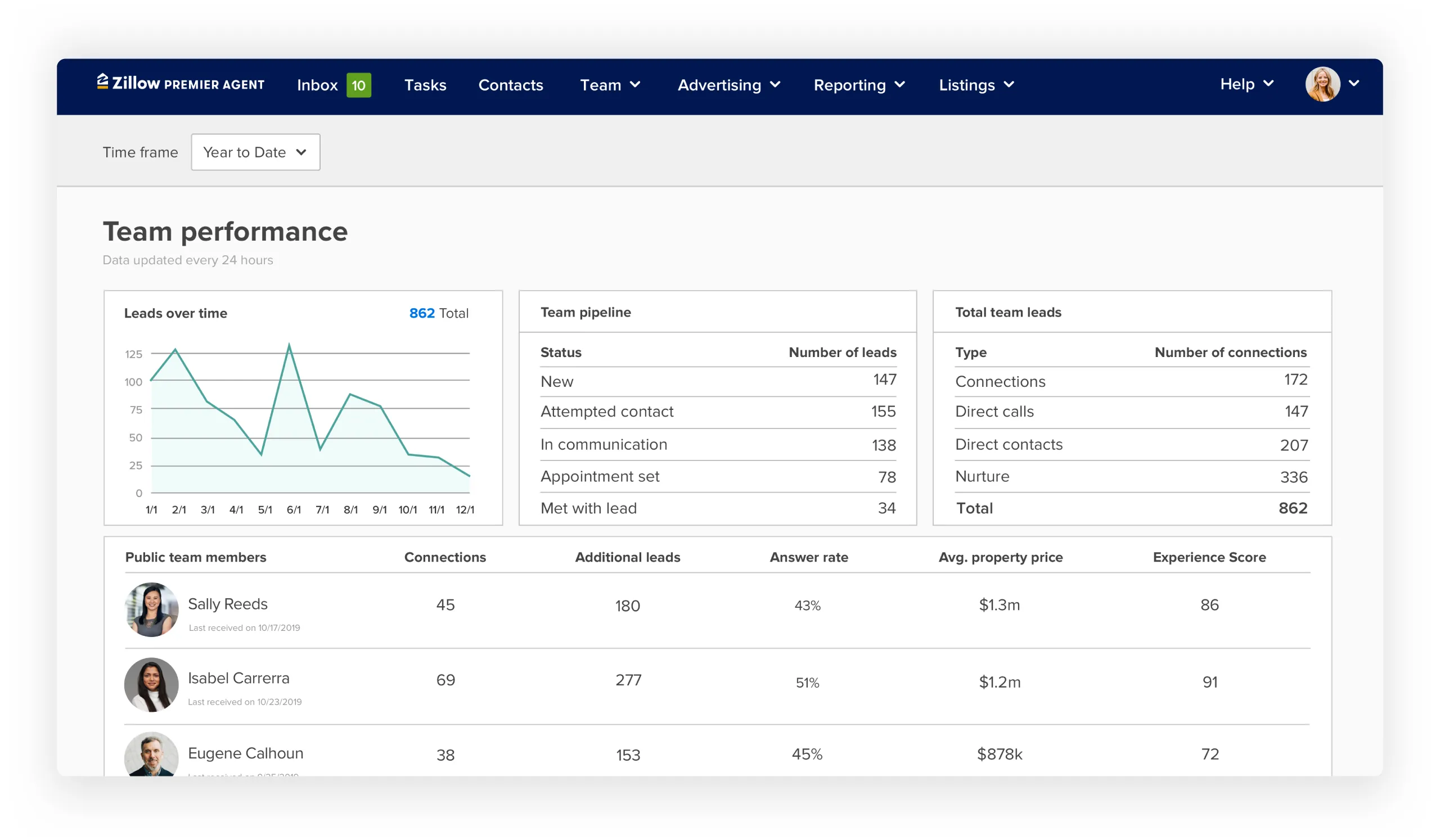
Use the drop-down menu at the top left to customize the time frame for your team’s data. To adjust this, pick your desired time frame and click Apply.
Pro tip: The Zillow Premier Agent app helps team members respond more quickly and manage their pipeline while on the go. The team performance page shows which of your agents have the app and allows you to easily send them reminders to download it.
Tips for top-performing listings
Backed by new research, this guide reveals what today’s top listings do differently to capture buyer attention and outperform the rest.
Learn more

